Shape worlds.
Keep the graph.
Atlas Studio turns terrain generation into a visual, reusable workflow—from the first noise field to materials, water, and a native smooth-terrain build.
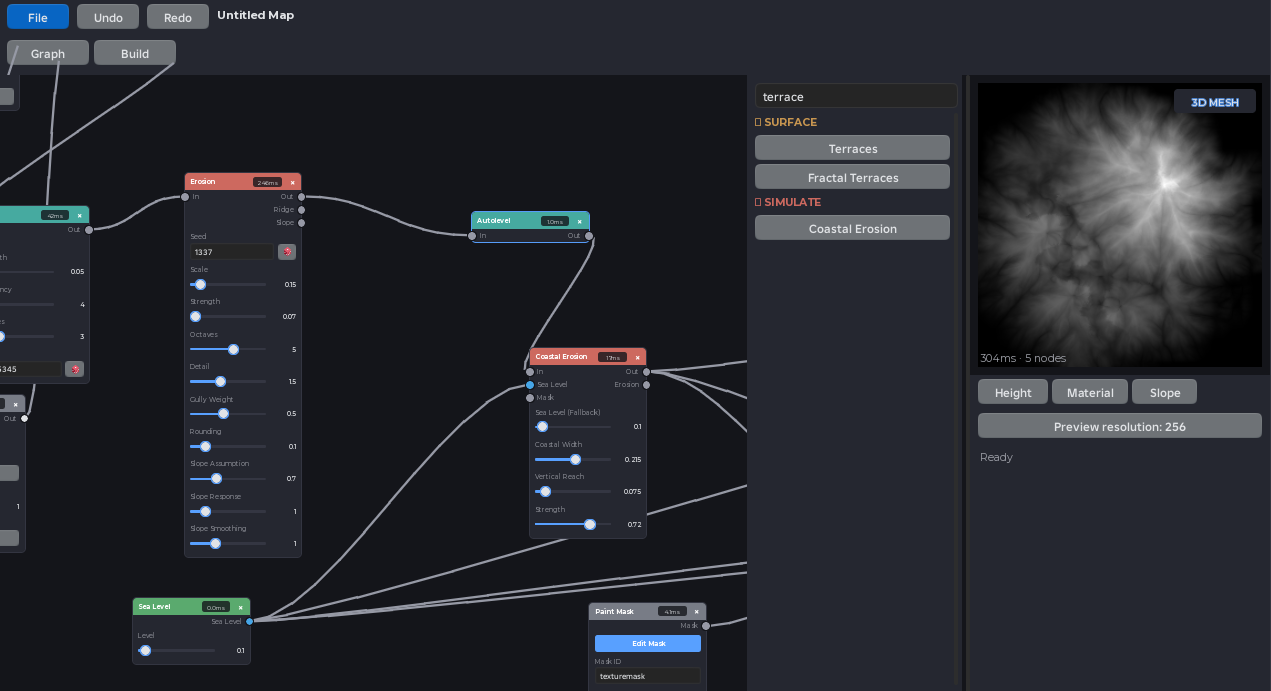
From idea to terrain
Build in layers, inspect each result, and change any decision without rebuilding the graph from scratch.
Generate a landform
Start from noise, gradients, shapes, or complete terrain generators.
Read the guide →02Shape and weather it
Combine masks, modifiers, terraces, and erosion into a reusable graph.
Read the guide →03Apply terrain materials
Drive Roblox materials from height, slope, flow, and painted regions.
Read the guide →04Build native terrain
Preview every channel, choose map bounds, then write smooth terrain.
Read the guide →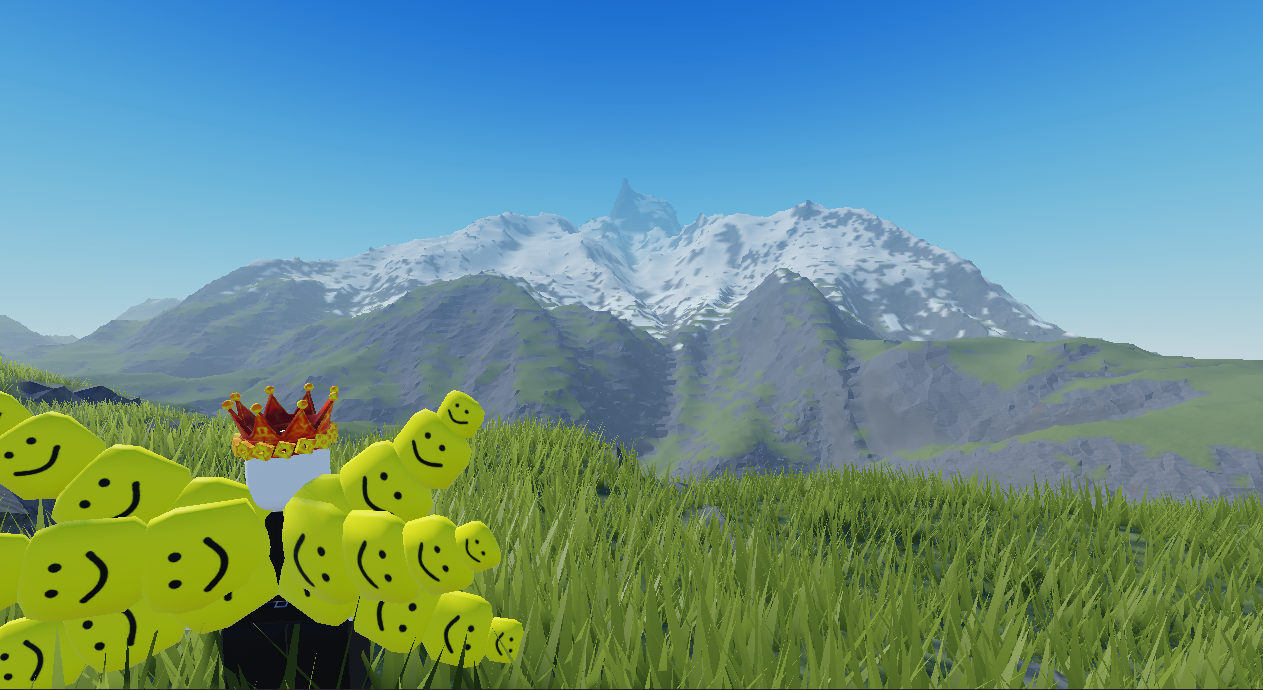
A graph you can reason about. Terrain you can ship.
Preview height, materials, and slope before Atlas writes a voxel. When the shape changes, your material rules and masks change with it.
- Reusable procedural projects saved with the place
- Painted masks for art-directed local changes
- One sample per terrain voxel in final builds
Take apart a more ambitious Atlas graph.
Complex Map is a ready-to-open Roblox place with a larger node structure that shows how generators, modifiers, masks, materials, and outputs can work together.
Atlas intentionally clears the entire Terrain container before generating the active map. Save the place or back up terrain you need to keep.
Make your first world in minutes.
Install the plugin, create a project, apply a recipe, and learn the workspace with a safe test build.